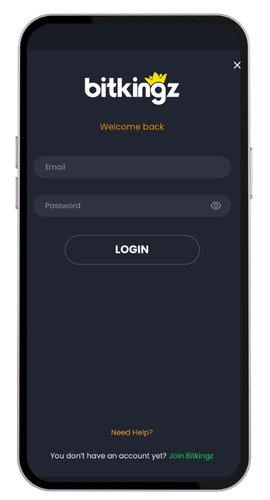
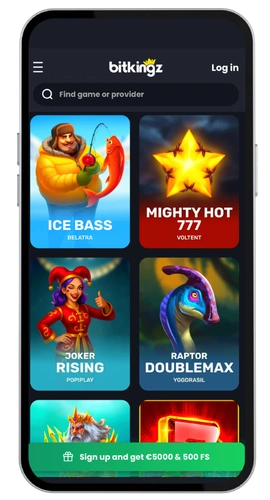
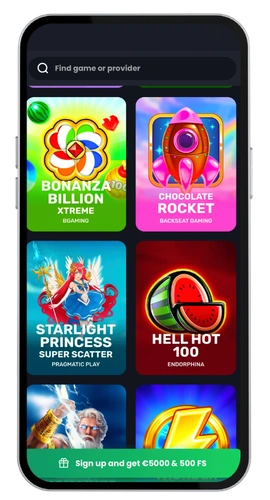
Getting into your account here is a matter of seconds. Simply enter your email, then your password, press login and you have immediate access to the lobby which houses more than 5,000 different titles. Slots from Pragmatic Play, Play n GO, BGaming and Push Gaming line up with progressive jackpots alongside live dealer tables and crash titles to give you the good stuff all in one place.
We run BitKingz under Dama N.V. with a Tobique Gaming Commission licence, number 0000002. Support is on live chat 24/7 or at [email protected] if something goes sideways. Kiwi players can hold a balance in NZD, deposit with VISA, MasterCard, Neosurf, Skrill or crypto, and cash out up to NZ$4,600 a day, NZ$9,200 a week and NZ$36,800 a month. The whole platform runs in English for New Zealand, alongside Arabic, German, French and Norwegian.
Bonus
150% + 100 FS on 1st deposit
I can access the BitKingz Mobile App from anywhere.
You can sign up on desktop, in our Android app or straight from a mobile browser, and the same credentials work on every device. One account, one username, no separate logins to remember.
Security is not an afterthought. We encrypt every login and our authentication check picks up anything suspicious before it hits your account. Choose a password that you don’t use elsewhere, keep your profile information up to date and validation later will be a breeze.
Sign Up Process on Desktop
It takes about two minutes at the desktop registration. Here are the steps.
– In your browser, go to the official site and click on the sign up button on the top right corner.
Enter your email and select a secure password.
Pick NZD as your currency so every deposit and withdrawal stays in NZ$.
Fill in your name, date of birth and residential address.
Tick the terms box and confirm you are 18 or older.
Check your inbox and click the activation link we send you.
Account verification happens further down the line, often prior to your first cashout. We require a photo ID together with proof of address via a recent utility bill or bank statement. Please send in high quality images and our staff will normally process these within 24 hours.
Once set up, you just need your registered email address and password when you log in to the casino login form. Lost password? Just hit the forgot password link, we will send you a reset link and recovery only takes a minute. Trouble? Our customer support team is on live chat 24/7.
Registration through Mobile App
Its 35MB in size, has an Android version, and won’t eat your storage. As expected the BitKingz login inside it was very fast.
Download and install the app on your device.
Tap Register on the welcome screen.
Enter your email, password and NZD currency.
Add your personal information and accept the rules.
Verify that the email we send confirms [you are done].
That is almost the average. Next time you open the app, click Sign in, type your user name and password and you will be back in your account keeping your balance and all of your other bonuses.
The web version can be accessed from your mobile device.
Do not want another app on your phone? Open our site in Safari, Chrome or whatever browser you like. The mobile web version loads the full game library, the cashier and the same Bit Kingz login form, with nothing to install.
Tap the menu, hit Register, type your email address, set a password, choose NZD and confirm through the link we email you. Add the page to your home screen and access becomes one tap, same as an app.
If you’re on iOS or MacOS, low on space, or often bouncing between work laptop and phone, this path will work best for you. Your account, balance, verification, everything moves with you between all platforms.
Deposits are instant and there’s no commissions from our side. An e-wallet or a crypto withdrawal will arrive quickly, ordinary cards and bank transfers take about 5-7 banking days. If you had any trouble with logging in, send us a message and we will fix it.